Developer's Log
Why Your Website's Speed Score Actually Matters (And How to Fix It)
Most small business owners have heard of PageSpeed scores but have no idea what they measure, why they matter, or what to do about them. Here's the plain-English breakdown.
You’ve probably heard someone mention a “PageSpeed score” at some point — maybe a web developer, a marketing contact, or a Google alert you didn’t fully read. You nodded along and moved on, because your website looks fine, loads fast enough on your laptop, and you have an actual business to run.
Here’s the problem: your laptop isn’t your customer.
Most of your website visitors are on a phone, on a mediocre cell connection, in a parking lot or waiting room, with half their attention somewhere else. If your site doesn’t load in two seconds or less in that scenario, they’re already gone — and they didn’t call you.
This post is for small business owners who’ve heard of website speed scores but have no idea what they actually measure, why they matter, or what to do about them. No technical background required.
What is a PageSpeed score?
A PageSpeed score is a grade from 0 to 100 that Google assigns to your website based on how fast and efficiently it loads. Google provides a free tool — Google PageSpeed Insights — where you can enter your website’s address and get a score instantly.
The score breaks down into four categories: Performance, Accessibility, Best Practices, and SEO. The Performance score is the one most people mean when they say “PageSpeed score.” It measures how quickly your site loads and becomes usable for a real visitor.
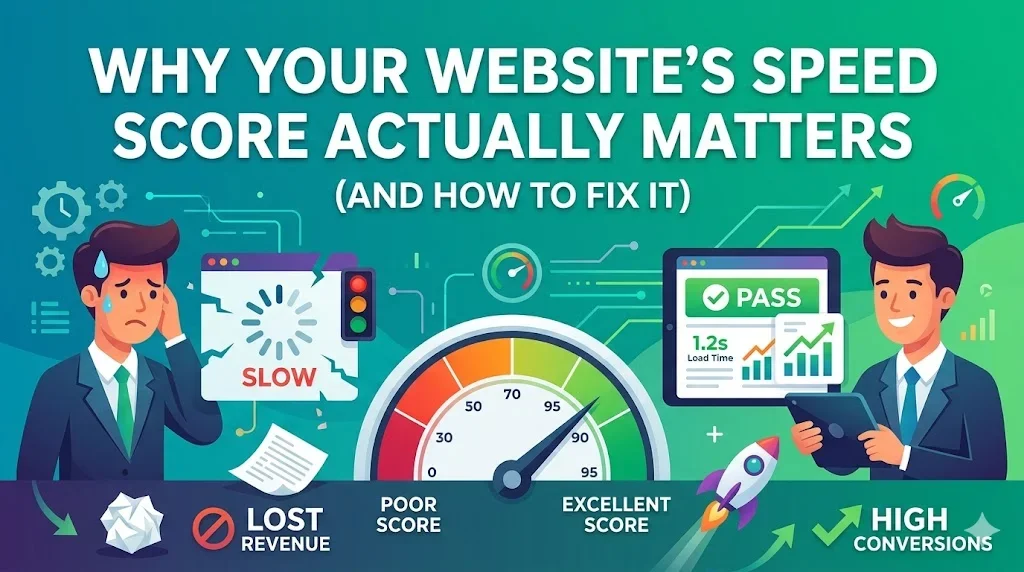
Scores are graded on a simple scale: 0–49 is poor (red), 50–89 is needs improvement (orange), and 90–100 is good (green). The goal for any serious business website is 90 or above — on both desktop and mobile.
Why does my website’s speed score matter for my business?
Your speed score matters for three reasons that directly affect your revenue: search rankings, first impressions, and customer trust.
Search rankings: Google has officially confirmed that page speed is a ranking factor. Slow websites rank lower in search results. If two businesses offer the same service in the same town, the faster website is more likely to appear first on Google. That’s not a theory — it’s Google’s stated policy.
First impressions: Studies consistently show that visitors form an opinion about your website within the first few seconds. A slow site that takes four or five seconds to load signals — fairly or not — that your business is outdated or unprofessional. A fast, clean site signals the opposite.
Customer trust: In 2026, consumers expect fast websites. A slow load time on a service business site, especially on mobile, raises doubt. If your website feels slow and clunky, a visitor might wonder whether your actual service feels the same way.
What are Core Web Vitals?
Core Web Vitals are the specific measurements that make up your Performance score. Google uses three main metrics to evaluate how a page actually feels to load — not just how fast the files transfer, but how quickly the visitor can see and use the content.
LCP — Largest Contentful Paint: This measures how long it takes for the biggest visible element on the page (usually a headline or hero image) to fully appear. Google’s target is under 2.5 seconds. Think of this as “when did the page actually look loaded?”
INP — Interaction to Next Paint: This measures how quickly your site responds when someone tries to tap or click something. A slow response here means buttons that feel laggy or broken. Google’s target is under 200 milliseconds.
CLS — Cumulative Layout Shift: This measures how much the page jumps around while it’s loading. If you’ve ever tried to tap a button on a website and it suddenly moved right before you touched it, that’s a high CLS score in action. Google’s target is under 0.1.
These three metrics exist because Google isn’t just measuring file download speed — it’s measuring the human experience of using your website.
What’s considered a good score?
For a business website, you should be aiming for:
- Performance: 90+ on desktop, 85+ on mobile
- Accessibility: 90+
- Best Practices: 90+
- SEO: 90+
Mobile scores are almost always lower than desktop because mobile devices have less processing power and often run on slower connections. That’s normal. But mobile scores matter more than desktop scores because the majority of local business searches happen on phones.
For context, here’s what a recent client rebuild looked like in practice. KBDB Dog Training came in with a Performance score of 73 on desktop — already in the “needs improvement” range. After a full rebuild, the desktop score reached 99 and the mobile score hit 87. Those are the actual numbers from Google’s own tool.
What makes a website slow?
Most slow business websites share the same handful of problems. You don’t need to understand the technical details — you just need to recognize whether your site might have them.
Unoptimized images: This is the single most common cause of slow websites. Large, uncompressed image files take a long time to download, especially on mobile. A photo taken on a modern smartphone can be 4–6 megabytes. That same photo, properly compressed and converted to a modern format, can be under 100 kilobytes — sixty times smaller — with no visible difference in quality.
Outdated website builders: Many small business websites are built on platforms that load enormous amounts of code before anything appears on screen. The site looks fine to the business owner because they’re viewing it on a fast desktop with a good connection. It’s a different story for a customer on their phone.
Too many plugins and third-party scripts: Every chat widget, social media feed, pop-up tool, and tracking script you add makes your site heavier. Each one adds loading time. Some are worth it. Many aren’t.
No caching or content delivery: When someone visits your website, their browser downloads files from a server. Where that server is located matters. A server on the opposite coast is slower for a Connecticut visitor than a content delivery network that stores copies of your site closer to where your customers actually are.
Render-blocking code: Some websites load large JavaScript or CSS files before displaying anything to the visitor. The page is sitting there, ready — but the browser is stuck processing code first. A good developer catches and eliminates this during the build.
How do I check my own website’s score?
It takes about thirty seconds. Open a browser and go to pagespeed.web.dev. Type in your website address and click Analyze. Wait about fifteen seconds, then scroll through the results.
Pay attention to the four colored circles at the top. Then scroll down to the “Opportunities” and “Diagnostics” sections — those are Google’s specific recommendations for what’s slowing your site down, listed in order of impact.
Screenshot the results. If you ever have a developer rebuild your site, those before-and-after numbers are the clearest proof of whether the work made a difference.
How do I fix a low PageSpeed score?
The honest answer is: it depends on why the score is low.
If your score is in the 80s or low 90s, targeted fixes often work — compressing images, removing unused plugins, enabling caching through your hosting provider.
If your score is below 70, especially on mobile, it usually means the site has structural problems that can’t be patched. The code itself is the issue. In those cases, a full rebuild in a modern, performance-first framework is almost always the right call — and often the more cost-effective long-term solution compared to endlessly patching a slow foundation.
Here’s a simple checklist to review with any developer:
- Are images compressed and converted to WebP format?
- Is the site built on a modern, lightweight framework?
- Is the site delivered through a content delivery network?
- Is there a caching strategy in place?
- Are third-party scripts minimized?
- Does the site score 90+ on Google PageSpeed Insights on both mobile and desktop?
If a developer can’t give you a clear yes to each of those, it’s worth asking why.
Does a fast website actually help me get more customers?
Yes — in two direct ways.
The first is search visibility. Google ranks faster websites higher. More visibility means more people find you before they find your competitor. This compounds over time. A faster site that ranks on page one consistently outperforms a slower site that occasionally gets shared on social media.
The second is conversion. Getting someone to your website is only half the battle. If the site loads slowly, looks outdated on mobile, or jumps around while it loads, visitors leave before they ever read what you offer. Speed improvements directly reduce that abandonment rate.
How much does it cost to fix a slow website?
This varies widely depending on the scope of the problem. Minor optimizations — image compression, caching configuration — can sometimes be done quickly and inexpensively. A full rebuild of a small business website in a modern framework typically runs between $1,500 and $4,000 depending on the number of pages, integrations, and complexity.
The better question is what a slow website is costing you right now. If your site is ranking on page three instead of page one because of speed issues, and that means missing ten potential leads per month, the math on a rebuild changes quickly.
Frequently Asked Questions
What is a good PageSpeed score for a small business website? A score of 90 or above in all four categories — Performance, Accessibility, Best Practices, and SEO — is the standard to aim for. Mobile scores are typically a few points lower than desktop due to device limitations, but anything above 85 on mobile is considered strong for a local business site.
Does my website’s speed score affect my Google ranking? Yes. Google officially confirmed page speed as a ranking factor in 2021 with the Core Web Vitals update. Faster websites have a measurable advantage in organic search rankings, particularly in competitive local markets where multiple businesses offer similar services.
What is LCP and why does it matter? LCP stands for Largest Contentful Paint. It measures how long it takes for the main content of your page — usually a headline or hero image — to appear on screen. Google’s target is under 2.5 seconds. A slow LCP makes your site feel broken even if everything else loads quickly.
Why does my website load fast on my computer but slow on my phone? Desktop computers have significantly more processing power and are usually connected to fast Wi-Fi. Most website visitors — especially people searching for local businesses — are on mobile devices with variable cell connections. Google tests your site the same way those visitors experience it, which is why mobile scores are often lower than desktop scores.
How do I know if my website needs a full rebuild or just minor fixes? Run your site through Google PageSpeed Insights at pagespeed.web.dev. If your Performance score is below 70 on mobile, or if Google identifies multiple render-blocking resources and unoptimized images in the Opportunities section, the underlying structure is likely the problem. Minor fixes won’t move the needle significantly. A full rebuild in a modern framework is the more effective long-term investment.
What website platform is best for PageSpeed scores? No platform guarantees a good score — it depends on how the site is built. That said, modern static site generators like Astro, built and delivered through a content delivery network like Cloudflare Workers, consistently produce some of the highest PageSpeed scores available. They eliminate the overhead that slows down database-driven platforms like WordPress.
The bottom line
Your website’s speed score isn’t a vanity metric. It’s a direct measurement of how Google evaluates your site for search rankings and how your customers experience your business online.
If you’ve never checked your score, do it today at pagespeed.web.dev. If it’s in the red or orange, you have a problem worth addressing — not eventually, but as a real business priority.
If you’re in Connecticut and want a second opinion on what your score means and what it would take to fix it, get in touch. We take a close look at every site before we touch a single line of code.
Shoreline Web Solutions builds custom websites for small businesses in Connecticut. Our standard stack — Astro, Tailwind CSS, and Cloudflare Workers — consistently delivers PageSpeed scores of 90+ on both mobile and desktop.
Randy Tarasevich
Founder, Shoreline Web Solutions
Randy is a web developer, business educator, and founder of Shoreline Web Solutions — a custom web development studio based in Old Lyme, CT. He has spent four years building performance-first websites for small businesses using Astro.js, Tailwind CSS, and Cloudflare Workers, and previously taught business courses at the college level for eight years.